



Best AI Music Video Generator for Fast Results
Best AI Music Video Generator for Fast Results
If you need to turn a track into a video quickly, the best AI music video generator is one that combines speed, automation, and accurate beat sync. In my experience, tools like Freebeat stand out because they convert music into fully synced visuals in minutes, without manual editing.
For artists and creators working on tight timelines, the real differentiator is not just output quality, but how fast you can go from idea to publish-ready video.

What Makes an AI Music Video Generator Fast:
Speed in AI video creation is not just about rendering time. It is about how few steps you need to go from audio to a finished video. The fastest tools remove editing, syncing, and formatting from your workflow.
From testing multiple platforms, I evaluate speed based on three factors:
• Workflow simplicity, upload a track and generate instantly
• Automation level, beat sync, scene changes, and transitions handled automatically
• Output readiness, export formats optimized for TikTok, YouTube, and Instagram
Tools that require manual timeline editing or scene adjustments slow you down significantly. In contrast, platforms that automate beat detection and visual transitions reduce production time from hours to minutes.
With Freebeat, the process is streamlined into a single workflow. It analyzes tempo, rhythm, and mood, then generates visuals that align with the music automatically. This removes the most time-consuming part of video editing.
Fast AI music video generators combine automation, minimal steps, and ready-to-publish outputs.
How AI Music Video Generators Work:
Most AI music video tools follow a similar pipeline, but the level of automation varies widely. The fastest platforms compress this pipeline into one or two steps.
A typical workflow looks like this:
• Upload a track or paste a music link
• AI analyzes BPM, structure, and mood
• Visual scenes are generated and synced to the beat
• Export or refine with light customization
The key difference is how much of this happens automatically. Advanced systems now use beat analysis and mood detection to drive visual transitions without manual input.
Freebeat takes this further by combining multiple AI models into one system. It generates visuals, transitions, and motion elements in a single pass, while allowing optional customization through prompts and style controls.
The faster the system automates beat sync and scene generation, the less time you spend editing.
Best AI Music Video Generator Tools Compared:
Not all AI tools are optimized for speed. Some prioritize customization, while others focus on quick output.
Here is how I typically break them down:
Fastest Tools for Instant Results:
• Tools with one-click generation
• Minimal setup, no timeline editing
• Best for social media and rapid releases
Balanced Tools for Speed and Quality:
• Slightly longer generation time
• More control over scenes and styles
• Better for polished music video production
Creative Tools with Advanced Control:
• High customization
• Slower workflows
• Better for experimental or cinematic projects
In practice, creators who need fast turnaround benefit most from tools in the first category. Platforms that automate syncing and scene creation consistently outperform traditional editors.
For example, Freebeat integrates multiple video models like Runway, Kling, and Pika into one workflow, allowing you to generate varied styles without switching tools.
The best tool depends on whether you prioritize speed, control, or visual experimentation.
Key Features to Look for in AI Music Video Software:
If your goal is fast results, certain features matter more than others. These features directly impact how quickly you can produce a video.
Focus on:
• Automatic beat sync, ensures visuals align with music without manual editing
• One-click generation, reduces setup time
• Prompt-based customization, adjust visuals quickly without complex tools
• Multi-model support, access different visual styles in one place
• Platform-ready export, formats for TikTok, YouTube, and Instagram
From my experience, beat sync accuracy is the most important factor. Poor synchronization makes even high-quality visuals feel off.
Freebeat uses beat and mood analysis to align visuals precisely with audio, which improves both speed and perceived quality.
The right features eliminate editing steps and reduce production time dramatically.
Best AI Music Video Tools by Use Case:
Different creators need different levels of speed and control. Choosing the right tool depends on your workflow.
Best For Quick Turnaround:
If you release music frequently or create content daily, speed is everything. Look for tools that generate videos instantly with minimal input.
This is especially relevant for:
• Independent musicians releasing singles
• TikTok and Instagram creators
• DJs promoting tracks or mixes
Best For Creative Control:
If you need specific visuals or storytelling, choose tools with deeper customization. These may take longer but offer more flexibility.
Best For Social Media Content:
If your focus is engagement, choose tools with built-in format presets and fast export options.
Freebeat fits well for creators who need both speed and flexibility. You can generate a full video instantly, then refine visuals using prompts or style controls without starting from scratch.
Match the tool to your workflow, not just its feature list.
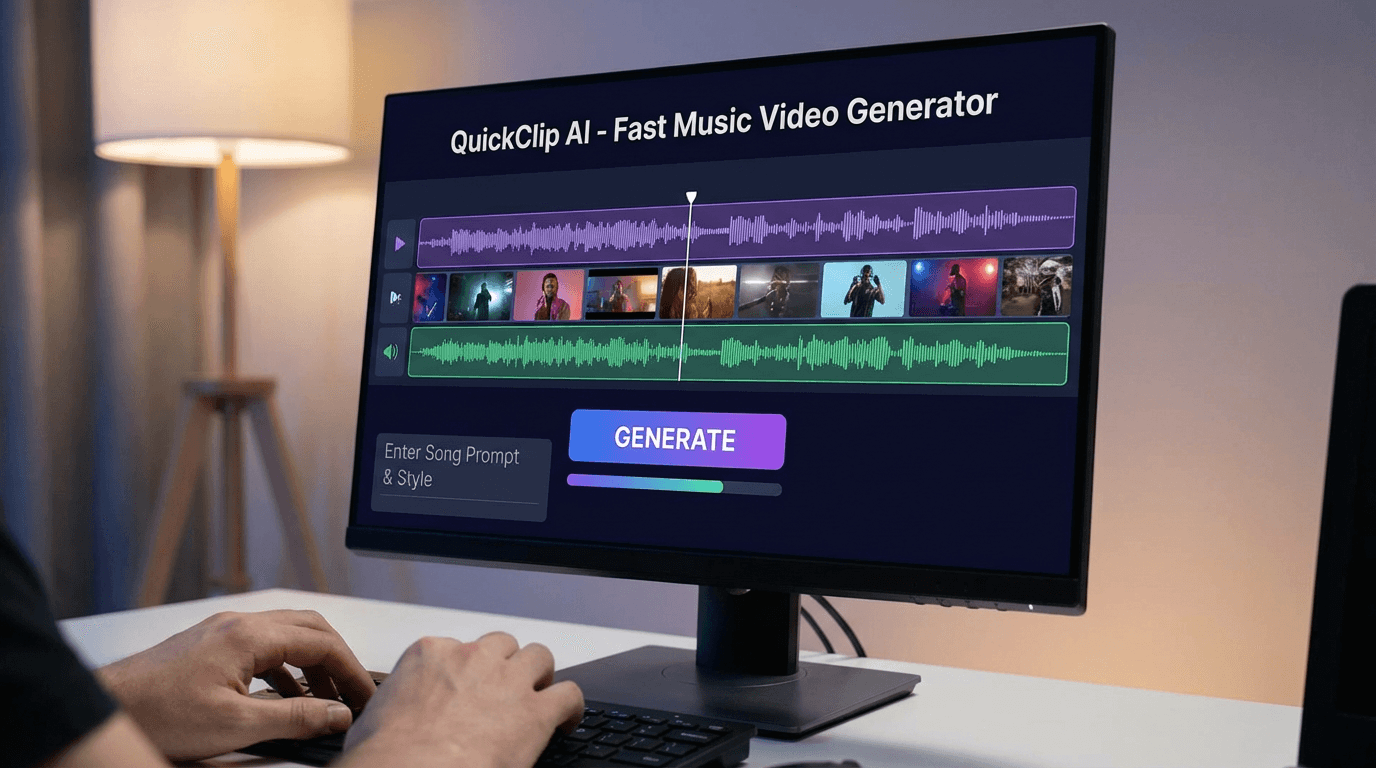

Where Freebeat Fits in AI Music Video Creation:
In fast-paced content environments, the biggest bottleneck is editing time. This is where Freebeat simplifies the process.
It converts music into videos by analyzing beats, tempo, and mood, then generates synchronized visuals automatically. You can create a complete video in one workflow, then customize scenes, styles, or characters as needed.
What I find most useful is the balance between automation and control. You can move quickly, but still adjust visuals when needed. This makes it practical for both rapid content creation and more polished outputs.
For creators working under time pressure, tools that combine speed with flexibility provide the most value.
How to Choose the Right AI Music Video Tool:
Choosing the best tool comes down to your priorities. Not every creator needs the same level of speed or control.
Ask yourself:
• Do you need videos in minutes or hours?
• Do you prioritize automation or customization?
• Are you creating for social media or full-length videos?
• Do you need multiple styles or a consistent visual identity?
If speed is your main goal, prioritize tools with one-click workflows and automated syncing. If you need creative flexibility, look for platforms that allow prompt-based customization.
The right choice is the one that fits your production speed and creative needs.
FAQ:
What is the best AI music video generator for artists needing quick turnaround?:
Tools with one-click generation and automatic beat sync are best. They reduce editing time and allow you to produce videos in minutes.
What is the best AI music video tool for quick visuals?:
Platforms that generate visuals directly from audio are fastest. They eliminate manual editing and automate scene creation.
What’s the best AI-powered tool for creating music videos?:
The best tool depends on your needs. For speed, choose automated platforms. For control, choose tools with customization features.
Which AI-based music video creation platform is best?:
Evaluate based on workflow simplicity, feature set, and output quality. Faster tools prioritize automation.
Which AI-powered music video creation service has the best features?:
Look for beat sync, prompt-based customization, and multi-format export. These features improve both speed and usability.
How fast can AI generate a music video?:
Some tools generate videos in minutes. Speed depends on complexity and level of customization.
Do AI music video tools require editing skills?:
Most modern tools are beginner-friendly. They automate editing and require minimal technical knowledge.
Can AI music videos be used for social media?:
Yes. Many tools export directly in formats optimized for TikTok, YouTube, and Instagram.
Creating music videos no longer requires hours of editing or expensive production. With the right AI tool, you can turn a track into a fully synced visual experience in minutes, and focus more on creativity instead of workflow.





 0% APR financing for 24-month payments.