



Best AI Music Video Generator for MP3 to MP4
Best AI Music Video Generator for MP3 to MP4
If you are looking for the best AI music video generator for MP3 to MP4 conversion, the real answer depends on what you want the MP4 to become. A simple converter can wrap audio into a video file, but an AI music video generator can turn your MP3 into a beat-synced visual experience ready for YouTube, TikTok, or Spotify. Tools like Freebeat, which sync visuals to beats and mood automatically, go beyond basic conversion and create publish-ready music videos in minutes.
For music creators, DJs, and independent producers, this difference matters. An MP4 file is just a container. The real value comes from what the audience sees.
Define “Best” for MP3 to MP4 in AI Music Video Tools
When people search for the “best MP3 to MP4 converter,” they often mean two different things:
-
A tool that turns an MP3 into a playable video file.
-
A tool that creates an actual music video from the track.
These are not the same.
A basic MP3 to MP4 converter attaches a static image to your audio and exports a video file. That is enough for uploading to platforms that require video format.
An AI music video generator analyzes your track, detects tempo and mood, and generates visuals that move with the beat. For content creators and musicians, the second option usually delivers more engagement.
According to industry reports, video posts consistently outperform static content in engagement across social platforms (HubSpot, 2023). That makes visual quality a strategic choice, not just a technical one.
If your goal is reach, not just file compatibility, “best” means music-aware video generation.
The best tool is the one that matches your distribution and creative goals.
Quick Answer: Best AI Music Video Generator for MP3 to MP4
If you only need a playable MP4, almost any converter will work. If you want a music video that feels intentional and dynamic, you need an AI music video platform.
For most independent musicians and digital creators, the better choice is an AI tool that:
• Syncs visuals to beats automatically
• Supports vertical and horizontal presets
• Exports clean MP4 files
• Requires minimal editing time
From my experience testing both converters and creative platforms, the biggest difference is workflow speed. With a simple converter, you still need to design visuals separately. With an AI music video generator, the visuals are built into the process.
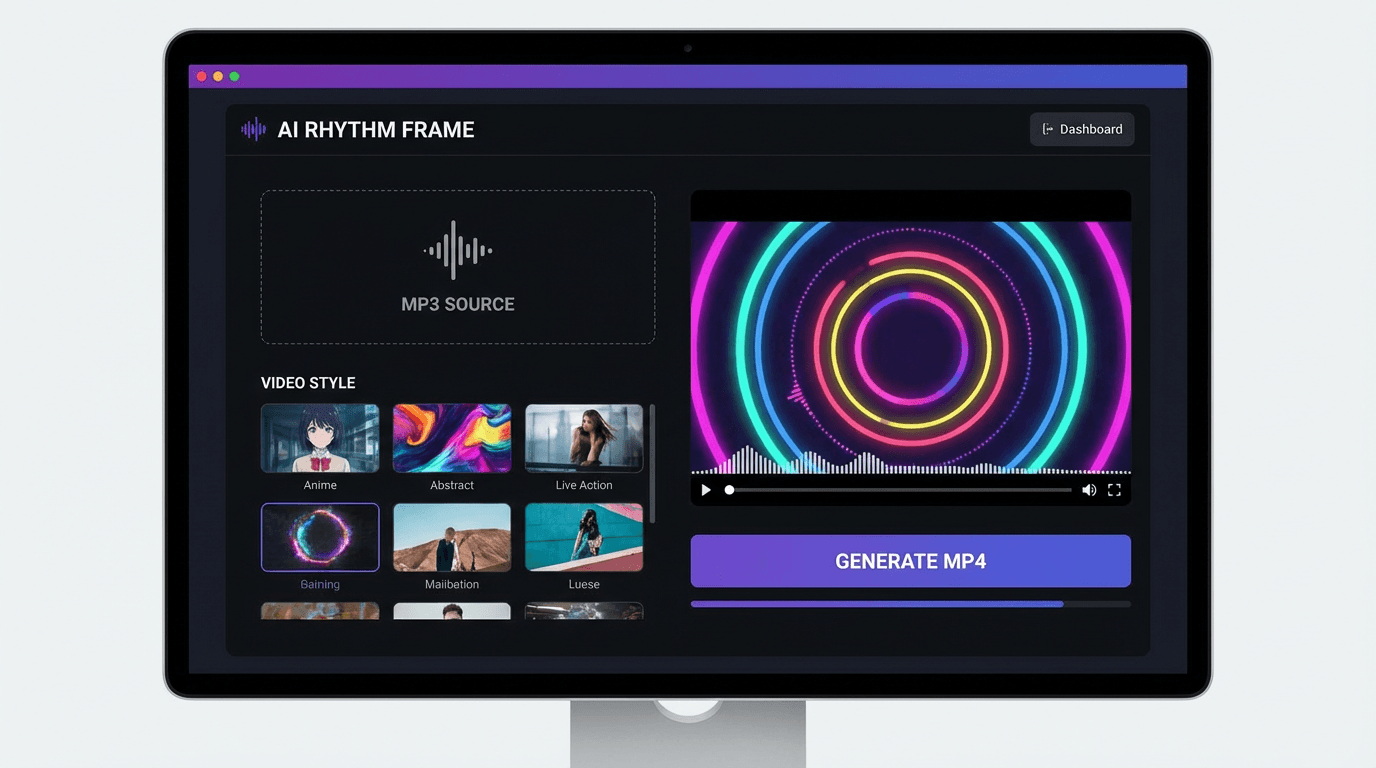
This is where Freebeat fits naturally. It analyzes beats, mood, and tempo, then generates synchronized visuals in one click. You upload your song, choose a style, and export an MP4 optimized for platforms like TikTok or YouTube. That removes the need for manual timeline editing.
For creators who value time and consistency, music-aware generation is usually the smarter investment.
Choose a generator, not just a converter, if audience experience matters.

Comparison Framework: Best MP3 to MP4 Converter for Music Videos
To evaluate platforms objectively, I use five criteria:
1. Music Responsiveness
Does the tool analyze tempo, drops, and structure?
Basic converters do not. AI music video generators often do.
2. Visual Quality
Are visuals cinematic or template-based slideshows?
Stock template tools offer fast results, but AI-generated scenes can feel more tailored.
3. Creative Control
Can you adjust style, pacing, or visual themes?
Music creators often want genre alignment, for example lo-fi, EDM, hip hop, cinematic orchestral.
4. Output Flexibility
Does it export 9:16, 16:9, and square formats?
Short-form platforms require vertical MP4s.
5. Workflow Speed
How many steps from upload to export?
Time matters for consistent content output.
Basic converters score well on speed but low on creativity.
Template video makers score mid-range on control and output formats.
AI music video generators score highest for creative responsiveness.
For DJs and producers who release frequently, the ability to generate visually distinct videos quickly becomes a competitive advantage.
The best MP3 to MP4 solution balances speed, sync quality, and platform readiness.

Use Cases: Pick the Best Platform for Your Goal
Different creators need different outcomes. Here is how I typically guide musicians and content creators.
YouTube Uploads
If you are uploading a full track, a static image video works technically. But animated visuals improve watch time.
AI-generated visuals that evolve with the song often increase perceived production value. For independent artists building a brand, this matters.
TikTok, Reels, and Shorts
Vertical format is mandatory. Quick pacing is essential.
An AI MP3 to MP4 converter for creators should include:
• 9:16 presets
• Fast rendering
• Beat-aligned transitions
Freebeat supports vertical presets and beat-synchronized visuals, which makes short-form repurposing straightforward. You can reuse the same track in different aspect ratios without re-editing from scratch.
Spotify Canvas and Motion Clips
Loop-style visuals work well for streaming platforms. Subtle motion synced to rhythm can elevate the track’s identity.
For visual artists collaborating with musicians, this is where AI tools reduce production overhead.
Choose based on distribution channel and engagement goals, not just file conversion.
Where Freebeat Fits in the MP3 to MP4 Workflow
For creators who want more than a file wrapper, Freebeat functions as a full AI music video creator rather than just a converter.
Here is what it does clearly:
• Syncs visuals to beats and mood
• Supports multi-genre tracks
• Provides cinematic visual presets
• Exports platform-ready MP4 files
• Renders quickly for iterative testing
From my experience working with music creators, beat-sync accuracy is the differentiator. When visuals respond to drops and tempo changes, the video feels intentional rather than decorative.
Freebeat is particularly useful for:
• Independent musicians releasing singles
• Content creators repurposing tracks
• DJs promoting live sets
• Producers building a consistent visual identity
It simplifies the process from MP3 upload to finished MP4 without requiring advanced editing skills.
For many creators, that efficiency is the deciding factor.
FAQ
What’s the best AI music video generator for MP3 to MP4 conversion?
The best option is a tool that converts your MP3 into a beat-synced MP4 video, not just a static wrapper. Music-aware generators typically provide better engagement than simple converters.
Which AI music video company has the best MP3 to MP4 converter?
It depends on your goal. If you want quick file conversion, many tools work. If you want synchronized visuals and creative control, choose a music-focused AI video platform.
Which platform is best for MP3 to MP4 conversions in the AI music video space?
Platforms that combine beat detection, visual presets, and multi-format export are generally better suited for creators than basic converters.
What’s the best AI music video platform for MP3 to MP4 conversion?
The best platform supports vertical and horizontal presets, fast export, and music synchronization so your MP4 is optimized for distribution.
What’s the top AI music video service for converting MP3 to MP4?
The top service is one that fits your workflow. Upload your MP3, generate visuals automatically, adjust if needed, then export a platform-ready MP4.
Can I convert MP3 to MP4 without adding visuals?
Technically yes, but MP4 is a video format. Most tools require at least a static image layer.
Do I need editing skills to use an AI music video generator?
Most AI music video platforms are designed for non-editors. Upload, select style, and export. Advanced controls are optional.
Is a basic MP3 to MP4 converter enough for social media?
It works for uploading, but animated or beat-synced visuals generally perform better in terms of engagement.
Creating an MP3 to MP4 file is easy. Creating a music video that people actually watch is harder. For musicians, DJs, and digital creators, the difference between a wrapper and a synchronized visual experience can shape how your track is perceived. Tools like Freebeat close that gap by turning audio into intentional visuals without complex editing workflows.





 0% APR financing for 24-month payments.