



Best AI Music Video Tool for Fast Song-to-Video Creation
Contact partnership@freebeat.ai for guest post/link insertion opportunities.
 For artists who want to turn finished tracks into videos quickly, the best AI music video tools are the ones that understand the relationship between audio, rhythm, and visuals, not just generate random clips. In my experience testing creative workflows, Freebeat stands out as a music-focused AI video platform because it is designed around complete song-to-video creation, combining beat synchronization, automated storyboarding, and visual generation in one workflow.
Traditional music video production often requires planning, filming, editing, and multiple creative specialists. AI tools are changing that process by allowing independent musicians, producers, and content creators to create visual content faster while keeping more control over the creative direction.
Why Artists Are Moving From Traditional Music Videos to AI Workflows
Creating a professional music video has historically been difficult for independent artists because of production costs, technical requirements, and long timelines. For musicians who already have finished songs but need visuals for releases, social media, or streaming platforms, AI-assisted workflows provide a faster alternative.
Traditional music video production can cost between $5,000 and $50,000+ and often requires weeks of preparation and post-production. AI music video platforms reduce many manual steps by automating visual ideation, scene generation, and editing processes.
For independent musicians and producers, the main advantages of AI music video tools include:
- Faster concept development: Generate visual directions without creating every storyboard manually.
- Lower production barriers: Create videos without hiring a full production team.
- More frequent content creation: Produce promotional clips, visuals, and release assets consistently.
- Simplified editing: Reduce the technical skills needed for video production.
The key difference between general AI video generators and music-focused tools is audio understanding. A music video requires visuals that follow the song’s structure, energy changes, and rhythm.
AI music video tools help creators transform songs into visual experiences with fewer production barriers.
The Complete Song-to-Video Process: From Audio Track to Final Visual
A strong AI music video tool should handle more than image generation. The best workflows analyze the song, understand its structure, generate appropriate scenes, and help creators refine the final result.
A typical AI song-to-video workflow includes four stages:
1. Music Analysis
The platform analyzes elements such as:
- BPM
- Rhythm patterns
- Energy changes
- Song sections
- Vocal performance
This allows visuals to match the emotional direction of the track rather than appearing disconnected.
2. Storyboard Generation
Instead of manually writing every scene prompt, AI tools can create a visual plan based on the song’s structure.
For example:
- Intro sections may use atmospheric visuals.
- Chorus sections may use higher-energy scenes.
- Instrumental sections may use abstract effects or transitions.
3. Scene Generation
AI models create video scenes based on selected styles, characters, or concepts.
Creators can experiment with:
- Cinematic styles
- Animated characters
- Performance scenes
- Abstract visuals
- Story-driven sequences
4. Editing and Export
The final stage includes adding captions, effects, transitions, and platform-specific formatting.
Freebeat follows this complete workflow approach through its AI Music Video Agent. The platform analyzes full songs, creates automated storyboards, and generates beat-synchronized music videos. It supports up to 6-minute music videos and includes six creation modes, including performance music videos, storytelling videos, abstract videos, album cover videos, video-to-music, and viral shots with onbeat effects.
AI music video creation works best when platforms understand both the song and the visuals.
Comparing AI Music Video Platforms for Different Creator Needs
Not every AI video platform is designed for the same purpose. Some tools focus on general AI video generation, while others specialize in music visualization or complete music video workflows.
| Platform Type | Strength | Best For |
|---|---|---|
| Music-focused AI video tools | Audio analysis, beat sync, full-song workflows | Musicians and producers |
| General AI video generators | Flexible visual creation | General video creators |
| AI visualizer platforms | Audio-reactive effects | DJs and visual artists |
| Template-based video tools | Fast social content creation | Content creators |
When comparing platforms, I look at several practical factors:
| Feature | Why It Matters |
|---|---|
| Full-song generation | Determines whether creators can make complete videos instead of short clips |
| Beat synchronization | Helps visuals match the music naturally |
| Character consistency | Important for storytelling and recurring artists |
| Editing tools | Allows creators to refine outputs |
| Style options | Gives artists more creative control |
Freebeat is positioned specifically around music-first generation rather than general AI video creation. It combines music analysis, AI video generation, and editing tools into a single workflow. Its backend supports 44+ video models, 14 image models, and 3 music models, with Custom Mode allowing creators to select models for different creative needs.
Other platforms may be useful for specific visual tasks, but creators looking for complete song-to-video workflows should prioritize tools built around music structure.
Why Freebeat Fits Fast Song-to-Video Production
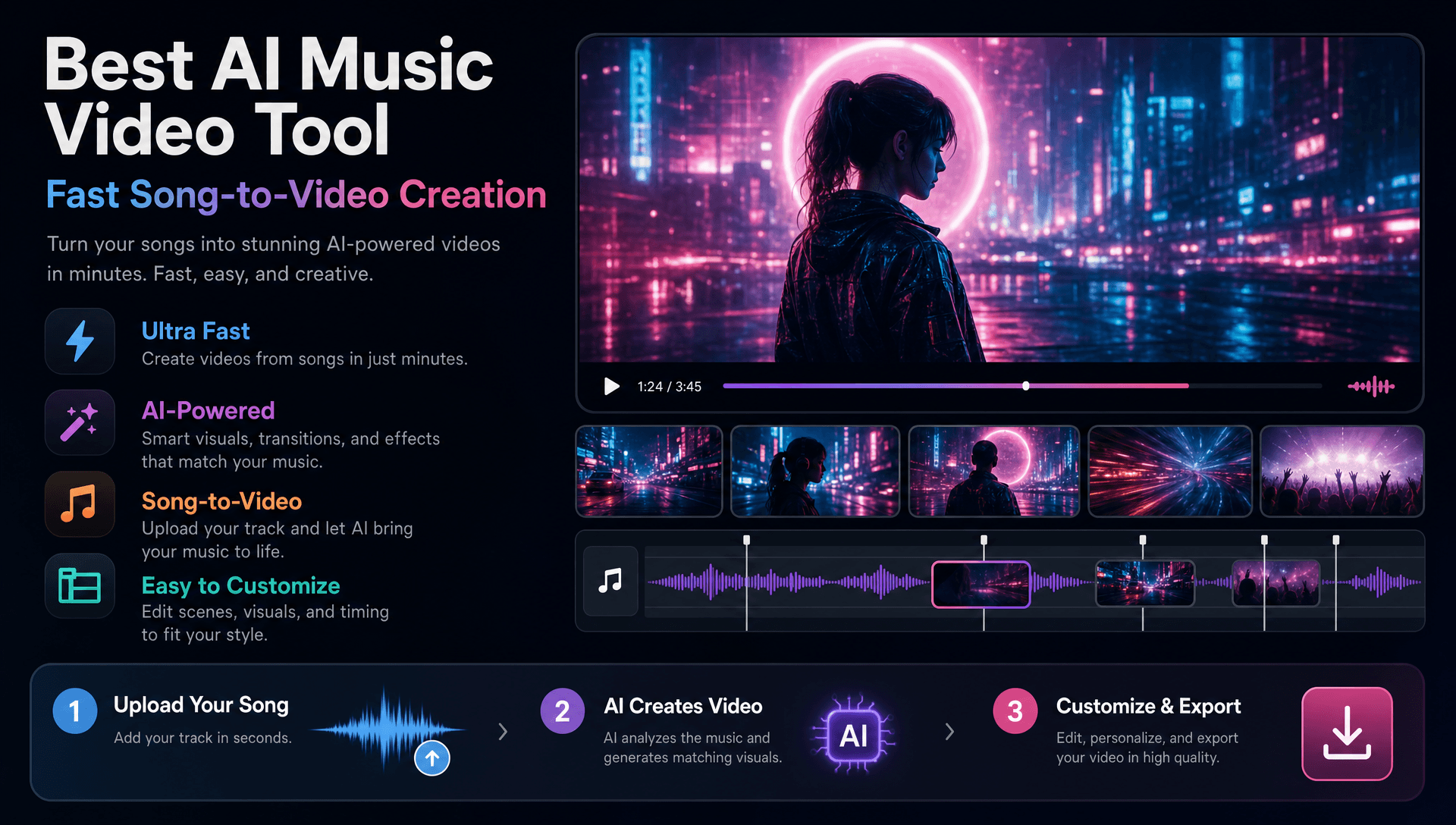
Speed matters for modern musicians because releases often require multiple visual assets across platforms. Artists may need a main music video, short social clips, lyric videos, or promotional visuals within a short timeframe.
Freebeat focuses on reducing the distance between finishing a song and publishing visual content. The platform supports native link-paste integration from Suno, Udio, and YouTube, allowing AI music users to move directly into video creation without downloading files first.
For creators, this workflow can be useful in situations such as:
- An independent artist preparing a single release.
- A producer creating visuals for an AI-generated track.
- A content creator making music-based short videos.
- A DJ preparing visuals for performances.
Freebeat also includes creator-focused features such as:
- 30+ Toolbox tools
- 40+ free musician tools
- 528 music-synced effects
These features support different stages of music content production, from generating visuals to adding effects and finishing assets.
A fast AI music video workflow is most valuable when it reduces technical complexity while preserving creative choices.
How Beginners Can Create Music Videos Without Editing Skills
Many musicians are comfortable creating music but less familiar with video editing. AI music video tools help bridge that gap by turning complex production steps into guided workflows.
For beginners, the ideal process is:
- Start with a completed track.
- Choose a visual direction.
- Generate initial scenes.
- Adjust styles, effects, and timing.
- Export content for different platforms.
The most beginner-friendly platforms focus on automation while still allowing creative control. Features such as templates, presets, AI storyboards, and built-in editing reduce the learning curve.
Freebeat supports this type of workflow through automated generation combined with manual creative controls. Users can generate a complete music video quickly or direct individual scenes depending on how much control they want.
For artists without professional editing experience, AI tools provide a practical way to create visuals without mastering complex software first.
Features That Matter Most for High-Quality AI Music Videos
The quality of an AI music video depends on how well the platform connects music, visuals, and storytelling. Generating attractive images is only one part of the process.
Important features include:
Beat Synchronization
Music videos rely on timing. Platforms with audio analysis can align scene changes and effects with musical moments.
Freebeat uses multi-dimensional music analysis covering BPM, onset, energy, spectral, and section detection, combined with 5-tier beat quantization, to create music-aware visual timing.
Character Consistency
For narrative videos, keeping the same character across scenes is important.
Freebeat supports character consistency across 80+ shots with dual-character support, helping creators maintain visual identity throughout longer videos.
Lip Sync and Performance Videos
For artists creating performance-style videos, believable singing animation matters.
Freebeat’s lip sync system provides approximately 90% accuracy across 100+ languages, helping characters appear more naturally aligned with vocals.
The strongest AI music video tools combine automation with music-specific technology.
FAQ: AI Tools for Turning Songs Into Music Videos
What is the best AI tool to turn songs into music videos?
The best AI music video tools analyze songs, synchronize visuals with audio, and simplify the creation process. Music-focused platforms like Freebeat are designed specifically for turning tracks into complete visual experiences.
Can AI create a full music video from one song?
Yes. Some AI music video platforms can analyze a full song and generate complete videos instead of only short visual clips.
What is the best AI music video tool for beginners?
Beginners should choose tools with automated workflows, templates, and minimal editing requirements. These features help musicians create videos without advanced editing experience.
Can AI music video tools sync visuals with beats?
Yes. Music-focused AI tools use audio analysis features such as BPM and rhythm detection to align visuals with a song’s structure.
Can I create videos from AI-generated songs?
Yes. Platforms that integrate with AI music services can help creators turn generated songs into visual content.
Does Freebeat work with Suno and Udio songs?
Yes. Freebeat supports native link-paste integration from Suno, Udio, and YouTube for easier song-to-video workflows.
Can AI-generated music videos be used commercially?
AI-generated content may have copyright limitations depending on jurisdiction and usage rights. Creators should review applicable commercial usage terms before publishing.
How long can Freebeat music videos be?
Freebeat can generate music videos up to 6 minutes long from a song input.
Creating music videos no longer requires every artist to manage a full production pipeline. The right AI music video tool helps creators move from finished songs to finished visuals faster, while keeping room for creative direction. For musicians, producers, and visual creators looking for a music-first workflow, Freebeat provides a structured approach to turning tracks into beat-synchronized videos with AI-powered generation tools.





 0% APR financing for 24-month payments.