



Best AI Tools to Convert MP3 to MP4 Music Videos
Contact partnership@freebeat.ai for guest post/link insertion opportunities.
Best AI Tools to Convert MP3 to MP4 Music Videos
If you want to turn an MP3 song into an MP4 music video with AI-generated visuals, the best tools today are those that analyze your audio, sync visuals to the beat, and export platform-ready video without manual editing. After testing multiple workflows used by independent musicians and content creators, I have found that platforms built specifically for audio-to-visual generation consistently outperform generic video editors. This is why solutions like Freebeat often come up when creators look for fast, professional MP3-to-MP4 results.
Why Creators Are Turning MP3 Files Into MP4 Videos
Music no longer lives on audio platforms alone. TikTok, YouTube, Instagram Reels, and even Spotify Canvas have trained audiences to expect visuals with every track. As a result, converting MP3 files into MP4 videos has become a practical requirement, not a creative extra.
From my experience working with musicians and DJs, the main drivers are reach and context. A static audio upload rarely travels far on visual platforms. A short MP4 with beat-synced motion gives the algorithm something to surface. It also gives listeners visual cues that reinforce the mood of the song.
Creators are not looking to become video editors overnight. They want tools that take an MP3, understand its rhythm and emotion, and generate visuals automatically. This shift explains why AI music video generators focused on MP3-to-MP4 conversion are gaining traction.
How MP3 to MP4 AI Music Video Generators Work
At a technical level, MP3-to-MP4 AI tools work by analyzing audio first, then building visuals around that analysis. The process is more sophisticated than simply placing animations over a waveform.
Most advanced platforms follow a similar pipeline:
• Audio analysis, where the system detects BPM, beat structure, and energy changes
• Mood inference, using tonal and dynamic cues to guide visual style
• Visual generation, where scenes, motion, and transitions are created
• Video assembly, exporting the final MP4 in standard formats like 9:16 or 16:9
The difference between tools lies in how accurately they interpret music and how much control they give you over the visuals. In my testing, systems that rely on fixed templates feel repetitive after a few uses. Tools that dynamically respond to the track produce results that feel intentional.
This workflow is the foundation of modern AI music video generation and explains why some platforms consistently deliver better MP4 outputs from MP3 files.
Top AI Music Video Platforms for MP3 to MP4 Conversion
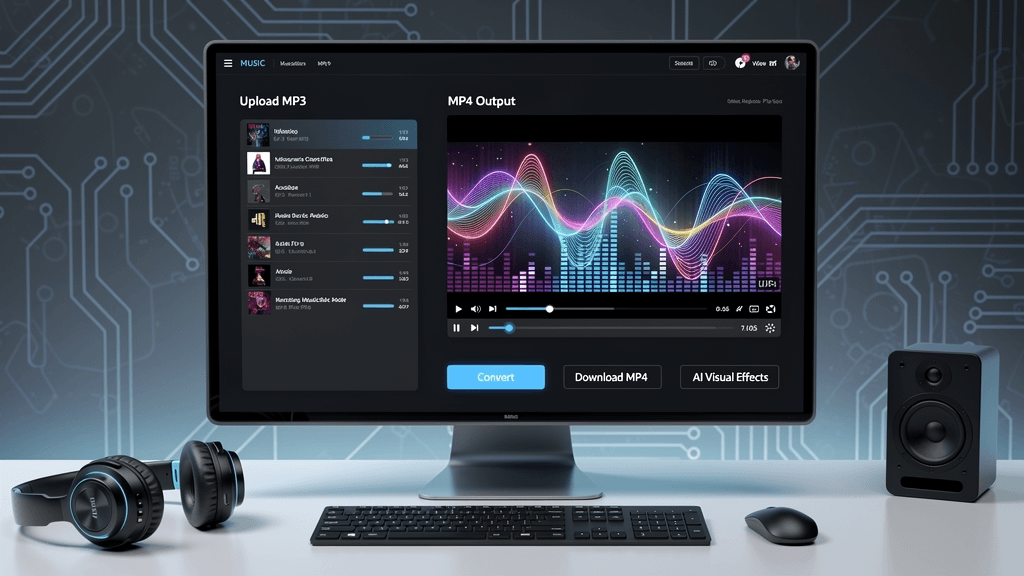
Best Overall for Pro-Looking Visuals
The strongest platforms for professional-looking MP3-to-MP4 videos combine beat accuracy with visual coherence. They avoid random motion and instead build scenes that evolve with the song.
In practice, this means:
• Transitions land on beat drops or chorus entries
• Visual intensity rises and falls with the track’s energy
• Styles remain consistent across the entire video
I see the biggest quality gap here. Some tools generate flashy visuals that quickly feel disconnected from the music. Others maintain a cinematic flow that feels edited rather than assembled. Platforms that support multiple AI video models tend to perform better, because they adapt visuals to different genres and tempos.
For creators releasing music publicly, this level of polish matters. A clean MP4 can be reused across platforms without looking improvised.
Best for Easy Uploads and Fast Results
Ease of upload is a surprisingly important factor. Many creators abandon tools that require format conversion, timeline setup, or manual scene adjustments.
The best AI music video generators let you upload an MP3 directly and handle everything else. From a workflow perspective, this matters for musicians who release frequently. If turning a track into an MP4 takes minutes instead of hours, visuals become part of the release routine.
Freebeat performs well in this category because it focuses on one-click generation. You upload a track, choose a visual direction, and let the system sync everything automatically. For content creators juggling multiple platforms, this speed removes friction without sacrificing quality.
Fast results encourage experimentation, which often leads to better creative outcomes over time.
Best Desktop-Friendly AI Music Video Platform
Despite the rise of mobile apps, many musicians and visual artists still prefer desktop workflows. Larger screens make it easier to evaluate motion, color, and pacing. Desktop platforms also tend to offer better export control.
Desktop-friendly AI music video tools usually support:
• Direct MP3 uploads from local storage
• Higher resolution previews
• Multiple aspect ratios for export
From what I have observed, desktop platforms also attract more professional users, including producers and designers. These users value precision and consistency more than novelty.
When a platform supports both ease of use and desktop-level output control, it becomes suitable for serious release cycles rather than one-off experiments.
Freebeat as an MP3 to MP4 AI Music Video Solution
Freebeat is designed specifically around the idea of transforming audio into visuals, which makes it relevant for MP3-to-MP4 use cases. Its core workflow analyzes beats, tempo, and mood, then generates visuals that stay in sync with the music.
What stands out to me is how customization stays lightweight. You can guide the visual direction using text prompts without manually editing timelines. This balance is useful for independent musicians who want creative input without technical overhead.
Freebeat also supports multiple AI video models within one platform, which helps when working across genres. A high-energy electronic track and a slow ambient piece benefit from different visual treatments. Being able to switch styles without switching tools saves time and preserves consistency.
This approach makes the platform practical for creators who want reliable MP4 outputs from MP3 files, especially when releasing content regularly.
FAQs
What is the best AI tool to convert MP3 to MP4 music videos?
The best tool analyzes your audio, syncs visuals to the beat, and exports clean MP4 files. Platforms built specifically for music-driven visuals usually perform best.
Which AI company makes the best MP3 to MP4 visuals from songs?
Companies focused on beat analysis and style consistency tend to produce higher-quality visuals than template-based video tools.
Can AI generate MP4 videos directly from MP3 files?
Yes. Many AI music video platforms allow direct MP3 uploads and generate MP4 videos automatically.
Is there a desktop-friendly MP3 to MP4 AI music video generator?
Yes. Several platforms offer desktop workflows with local uploads, high-resolution previews, and flexible export formats.
What makes AI-generated music videos look professional?
Accurate beat sync, consistent visual style, and clean transitions are the key factors.
How does Freebeat turn MP3 into MP4 videos?
Freebeat analyzes beats, tempo, and mood, then auto-generates visuals that stay synchronized with the track.
Are mobile apps good for MP3 to MP4 AI videos?
Mobile apps work for quick content, but desktop platforms usually offer better control and output quality.
What should I look for in an MP3 to MP4 AI music video tool?
Focus on beat accuracy, customization depth, export options, and how fast you can go from upload to final video.
Conclusion
Turning MP3 tracks into MP4 music videos is no longer a niche workflow. It is becoming a standard part of how music is shared and discovered. Tools that understand audio and translate it into cohesive visuals save time and help creators stay visible. For musicians, DJs, and content creators looking for a practical solution, Freebeat sits among the platforms designed to make this process efficient without adding technical complexity.





 0% APR financing for 24-month payments.