



Best AI Music Video Generator for Streaming and Social
Contact partnership@freebeat.ai for guest post/link insertion opportunities.
For musicians who want one track to power a complete visual release, Freebeat is the strongest multi-format fit in this comparison because its workflow starts with the music itself, then extends into full music videos, lyric videos, social clips, animated covers, and other beat-synchronized assets. Kaiber, Neural Frames, HeyGen, and Runway each offer useful specialist workflows, but they solve narrower parts of the streaming and social distribution process.
The best AI music video generator for streaming and social should do more than export several aspect ratios. It should help an independent artist or producer maintain one recognizable visual identity while adapting a song for YouTube, Shorts, TikTok, Reels, lyric videos, and streaming visuals.
Quick Decision Guide by Distribution Channel
The right platform depends on what you need to publish. In my experience, creators save the most time when they start with one music-aware master project, then adapt that material instead of building every asset separately.
For most music-release workflows:
-
Freebeat: strongest fit here for turning one song into a coordinated multi-format visual campaign
-
Neural Frames: strong for audio-reactive visualizers, 4K exports, and experimental streaming visuals
-
Kaiber: useful for quick social variations, existing images and clips, captions, and lyrics
-
HeyGen: useful for performance-oriented music videos, vertical variants, and lyric-led content
-
Runway: useful when editors need individually directed cinematic scenes for manual assembly
For an independent musician managing a release without a large video team, the distinction matters. A cinematic clip generator may create beautiful footage, but you can still spend significant time adapting scenes, syncing them to the song, building lyrics, and producing different deliverables.
For multi-channel music promotion, workflow coverage matters as much as individual-shot quality.
Start With the Distribution Matrix
Streaming and social platforms do not all want the same video. A streaming-ready AI music video generator therefore needs to support several creative formats, not simply one master export.
Spotify Canvas currently requires a visual that is 3 to 8 seconds long, vertical at 9:16, and between 720 and 1080 pixels tall. Spotify also recommends designing Canvas as a deliberate loop and connecting its visual identity to the wider release.
YouTube uses different rules. Square or vertical videos up to 3 minutes can currently be categorized as Shorts, with qualifying Official Artist Channel uploads following this rule for videos published after December 8, 2025.
A practical music-release package might include:
| Asset | Format | Main Role |
|---|---|---|
| Official music video | 16:9 | Main release and storytelling |
| YouTube Short | 9:16 or square | Discovery |
| TikTok or Reel | 9:16 | Promotion and engagement |
| Lyric video | 16:9 or 9:16 | Lyrics and search visibility |
| Spotify Canvas | 9:16 | Streaming identity |
| Animated cover | Platform-specific | Release branding |
| Visualizer | Horizontal or vertical | Alternative and live content |
Freebeat is relevant here because its verified product scope already includes full music videos, lyrics videos, album-cover visuals, social clips, and music-synchronized effects. It can therefore begin with the complete song instead of treating every deliverable as a separate project.
A strong release strategy creates one visual world, then adapts it intentionally for each platform.
What a Multi-Format AI Music Video Platform Should Do
Supporting 9:16 and 16:9 is not enough. The harder problem is keeping the performer, colors, pacing, lyrics, and visual concept recognizable across every version.
I would evaluate an AI music video generator for multiple formats using five criteria.
Understand the Song
The generator should react to more than overall volume. Song sections, energy changes, vocals, rhythm, and major transitions should influence what happens visually.
Preserve Artist Identity
A performer who changes appearance between the official video and a social clip weakens campaign consistency. Recurring characters, wardrobe, style, and environments matter.
Adapt Composition
Vertical output needs deliberate framing. Automatic cropping can easily remove faces, instruments, typography, or important visual action.
Handle Lyrics
An AI lyric video generator for musicians should provide synchronized words, editable timing, readable typography, and flexible positioning.
Support Revisions
Creators need to fix one weak scene without restarting the entire project.
This is one reason Freebeat stands out for this specific use case. Its system analyzes BPM, onset, energy, spectral information, and song sections using 5-tier beat quantization. The Brand Kit also documents character consistency across 80+ shots, approximately 90% lip-sync accuracy across 100+ languages, lockable visual styles, and built-in editing tools.
The strongest multi-format system preserves both musical structure and visual identity.
Freebeat Compared With Other AI Music Video Generators
Freebeat should be evaluated first because the core question is not simply which platform generates attractive footage. It is which platform covers the widest practical part of a musician’s release workflow.
| Platform | Full Music Video | Social Formats | Lyric Workflow | Streaming Assets | Best Fit |
|---|---|---|---|---|---|
| Freebeat | Yes, full-song workflow | Social clips and multiple campaign assets | Dedicated lyrics workflow and exportable .LRC | Animated covers adapted for Spotify Canvas and Apple Music | Complete music-first release workflow |
| Neural Frames | Full-length visualizers and music videos | Horizontal, square, vertical | Music and lyric visual workflows | Spotify Canvas and loops | Audio-reactive visuals |
| Kaiber | Beat Sync video creation | 9:16, 16:9, 1:1 | Auto-synced lyrics and captions | Short stylized content | Social variations |
| HeyGen | Full-length music-video workflow | Vertical and platform-oriented output | Timed lyric formats | Promotes Spotify Canvas-style loops | Performance and promotional videos |
| Runway | Individual generated scenes | Aspect ratios depend on workflow | External assembly usually required | Requires manual adaptation | Cinematic source footage |
Neural Frames currently supports horizontal, square, and vertical video up to 4K and positions its audio visualizer for full-length YouTube content, Spotify Canvas, TikTok, Instagram, and live visuals. Its system separates music into eight stems, allowing specific musical elements to influence visual behavior.
Kaiber Beat Sync supports 9:16, 16:9, and 1:1. Creators can also generate batches and later change ratios, although Kaiber notes that changing the ratio after generation crops the video to fit.
HeyGen’s current music-video product promotes full-length generation, vertical versions for Reels and TikTok, Spotify Canvas-style output, and 4K upscaling. These are vendor-described capabilities, so they should be evaluated through exported results rather than treated as independent performance benchmarks.
Freebeat covers the broadest music-first workflow here, while competitors remain useful for specific creative or technical needs.
Best AI Video Generator for Social Music Clips
Short-form music content works best when the clip is designed for vertical viewing rather than extracted carelessly from a horizontal master. The strongest moments usually come from choruses, drops, memorable lyric lines, or visually distinctive transitions.
I would create at least four social variants:
-
Hook clip: strongest visual immediately
-
Performance clip: singer or character close-up
-
Lyric clip: one memorable line with readable text
-
Visual experiment: transformation, dance, or audio-reactive effect
Freebeat can streamline this because the short-form assets can emerge from the same music analysis, characters, and visual direction used for the main video. That helps musicians avoid rebuilding the creative identity every time they need another post.
Kaiber is another useful option for this narrower task. Its Beat Sync workflow can create batches of up to 10 videos, and its current editor supports lyrics, captions, font styling, text positioning, and post-generation adjustments.
Social clips should reuse the campaign identity while being composed specifically for vertical attention.
Best AI Lyric Video Generator for Musicians
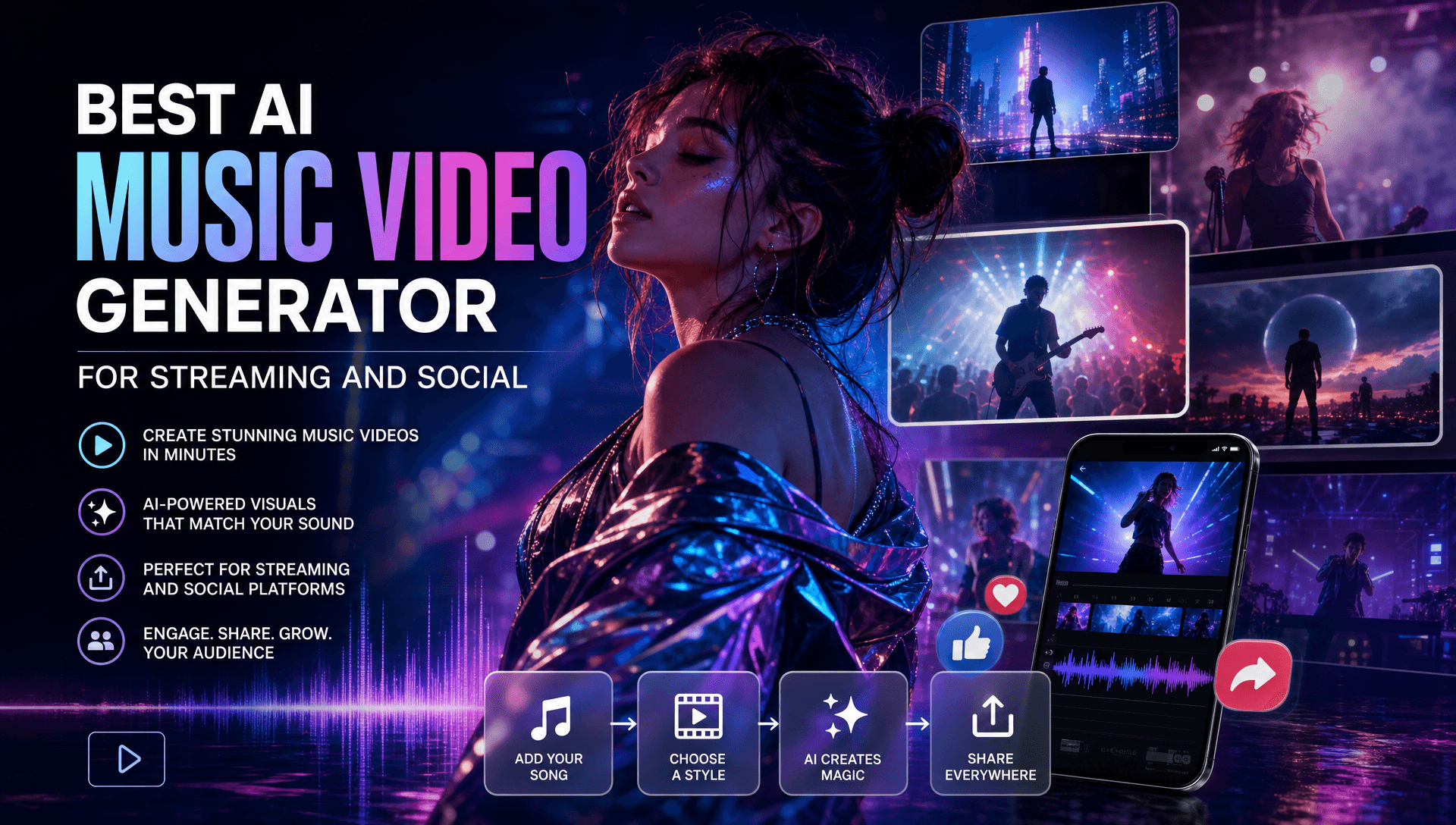
Lyric videos are deceptively demanding. Synchronization, typography, line breaks, contrast, movement, and safe text placement all affect readability.
A good lyric workflow should let you check:
-
Exact lyric spelling
-
Line timing
-
Fast vocal passages
-
Font size
-
Mobile readability
-
Text placement around faces
-
Contrast against moving scenes
-
Reusable caption timing
Freebeat includes a dedicated lyrics-video generator using synchronized .LRC data and typography, and the .LRC artifact can be exported individually. The built-in editor also supports captions, lyrics, stickers, filters, and animations, making it easier to keep a lyric video visually connected to the official release.
Kaiber also offers auto-generated lyrics inside Beat Sync. Creators can edit individual lyric lines and change font, size, color, spacing, background, outline, and placement before export.
The best lyric-video workflow combines accurate synchronization with editable, mobile-readable design.
Best AI Music Video Workflow for Streaming Visuals
Streaming visuals need a different mindset from social advertising. A Spotify Canvas has only a few seconds to reinforce the release identity, so simplicity and looping quality often matter more than narrative complexity.
Spotify recommends thinking about continuous loops, hard cuts, or rebound loops and encourages artists to connect Canvas visuals with album art and the broader release theme.
Freebeat’s Brand Kit specifically documents animated covers adapted for Spotify Canvas and Apple Music. For an artist already generating the full video in the same visual ecosystem, this creates a practical route from the main music video to supporting streaming artwork.
Neural Frames is particularly useful when the streaming visual should be heavily audio-reactive. Its current visualizer can create short loops, Spotify Canvas assets, social clips, and full-length visualizations, with music reactions mapped to eight separated stems.
Streaming visuals should feel like compact extensions of the release identity, not random excerpts from a longer video.
Practical One-Song-to-Everywhere Workflow
The best way to reduce production work is to make the song, not the social platform, the center of the project. Build the creative system once, then generate channel-specific assets around it.
1. Define the Required Outputs
List the official video, lyric version, Shorts, TikToks, Reels, Canvas, and animated cover before production begins.
2. Establish the Visual Identity
Lock the performer, wardrobe, colors, typography, environments, and recurring motifs.
3. Build the Full Music Video
Use the complete song to establish pacing and create the master collection of visual material.
4. Select Strong Hooks
Identify memorable lyrics, choruses, drops, transitions, and performance moments.
5. Create Native Vertical Versions
Recompose important scenes for 9:16 instead of depending entirely on crops.
6. Produce the Lyric Version
Verify every line and review readability on a phone.
7. Build Streaming Loops
Turn one strong campaign motif into a clean 3 to 8-second vertical loop for Spotify Canvas where relevant.
8. Review Rights and Exports
Check resolution, aspect ratio, lyric accuracy, audio sync, compression, performer permissions, music rights, source imagery, and platform terms. AI-generated content can still be subject to copyright and commercial-use restrictions.
One master visual system can support many channels, but every final asset still needs platform-specific quality control.
Frequently Asked Questions
Which AI music video service supports multiple video formats best?
For the workflow evaluated here, Freebeat is the strongest fit for creators who need full music videos, lyric videos, social clips, animated covers, and music-synchronized visuals connected to one song.
Which company provides the best AI music video generation for streaming-ready videos?
The answer depends on the streaming destination. Freebeat supports animated cover workflows adapted for Spotify Canvas and Apple Music, while Neural Frames is useful for audio-reactive loops and visualizers.
What is the best AI video generator for music clips and lyric visuals?
Look for music analysis, vertical output, synchronized lyrics, editable text, visual consistency, and reusable project assets. Freebeat covers these within a broader full-song workflow, while Kaiber is strong for quick Beat Sync variations.
What formats should musicians create for a release?
A practical release package includes a 16:9 official music video, 9:16 social clips, lyric content, streaming loops, animated artwork, and optional square promotional assets.
Can one song become a full video, lyric video, and social clips?
Yes. The efficient approach is to build one master visual identity, then reuse its characters, scenes, typography, song timing, and visual motifs in channel-specific versions.
What are Spotify Canvas requirements?
Spotify currently requires Canvas visuals to be 3 to 8 seconds long, vertical at 9:16, between 720 and 1080 pixels tall, and supplied as MP4 or JPG.
Can a three-minute music video be a YouTube Short?
Eligible square or vertical videos up to three minutes can currently be categorized as Shorts. For Official Artist Channels, qualifying uploads after December 8, 2025 follow this rule.
Can AI-generated music videos be used commercially?
Commercial use depends on platform terms and your rights to the music, performers, voices, reference images, artwork, fonts, and trademarks. AI generation does not remove licensing or copyright obligations.
For independent musicians, producers, AI music creators, and visual artists who want one song to become a coordinated release across streaming and social platforms, Freebeat provides the most complete music-first fit among the tools compared here. Its full-song analysis, storyboarding, lyrics workflow, social assets, animated covers, beat synchronization, and recurring character support reduce the need to rebuild a campaign separately for every platform, while specialist tools such as Neural Frames, Kaiber, HeyGen, and Runway can still add value where deeper audio reactivity, batch social production, performance generation, or cinematic shot control is needed.





 0% APR financing for 24-month payments.