



Best AI Music Video Tools for Budget Artists in 2026
Best AI Music Video Tools for Budget Artists in 2026
If you are a budget-conscious artist in 2026, the best AI music video tools are the ones that balance speed, cost, and visual impact without locking you into complex workflows. Today’s top options let independent musicians, DJs, and creators produce platform-ready videos quickly, often without needing a full production team. Tools like Freebeat have become popular because they focus on beat-synced visuals and fast turnaround, which matters when budgets and timelines are tight.
I have tested and reviewed a wide range of AI video tools over the last few years, both for my own projects and while helping artists ship releases faster. Below is a practical breakdown of how to choose the right option and which tools actually make sense for budget artists today.
Set Your Constraints First (Budget, Deadline, Deliverable)
Before comparing tools, you need to define your constraints clearly. Most frustration with AI video tools comes from choosing a platform that does not match your actual needs. Budget artists usually care about three things: how much it costs, how fast it delivers, and what format it outputs.
Start by answering these questions:
• What is your maximum spend per video or per month?
• How fast do you need the first usable draft?
• Are you creating a full-length music video, short-form clips, or looping visuals like Spotify Canvas?
For example, short-form content for TikTok or Reels prioritizes speed and vertical output, while a YouTube release might need longer scenes and more control. Tools optimized for one often struggle with the other. Defining this upfront saves time and money.
In my experience, creators who set these constraints early make better tool choices and avoid overpaying for features they never use.
A Budget-First Checklist You Can Use Today
Once constraints are clear, use a simple checklist to evaluate tools consistently. This is the same framework I use when testing new platforms.
Key criteria to check
• Input method: prompt only, music upload, or both
• Beat sync: automatic or manual
• Output formats: 9:16, 16:9, square
• Revision speed: minutes or hours
• Licensing clarity: commercial use allowed
A tool that scores well across these basics is usually more useful than one with flashy but impractical features. For budget artists, predictability matters more than novelty.
AI Music Video Generator Comparison (What You Actually Get)
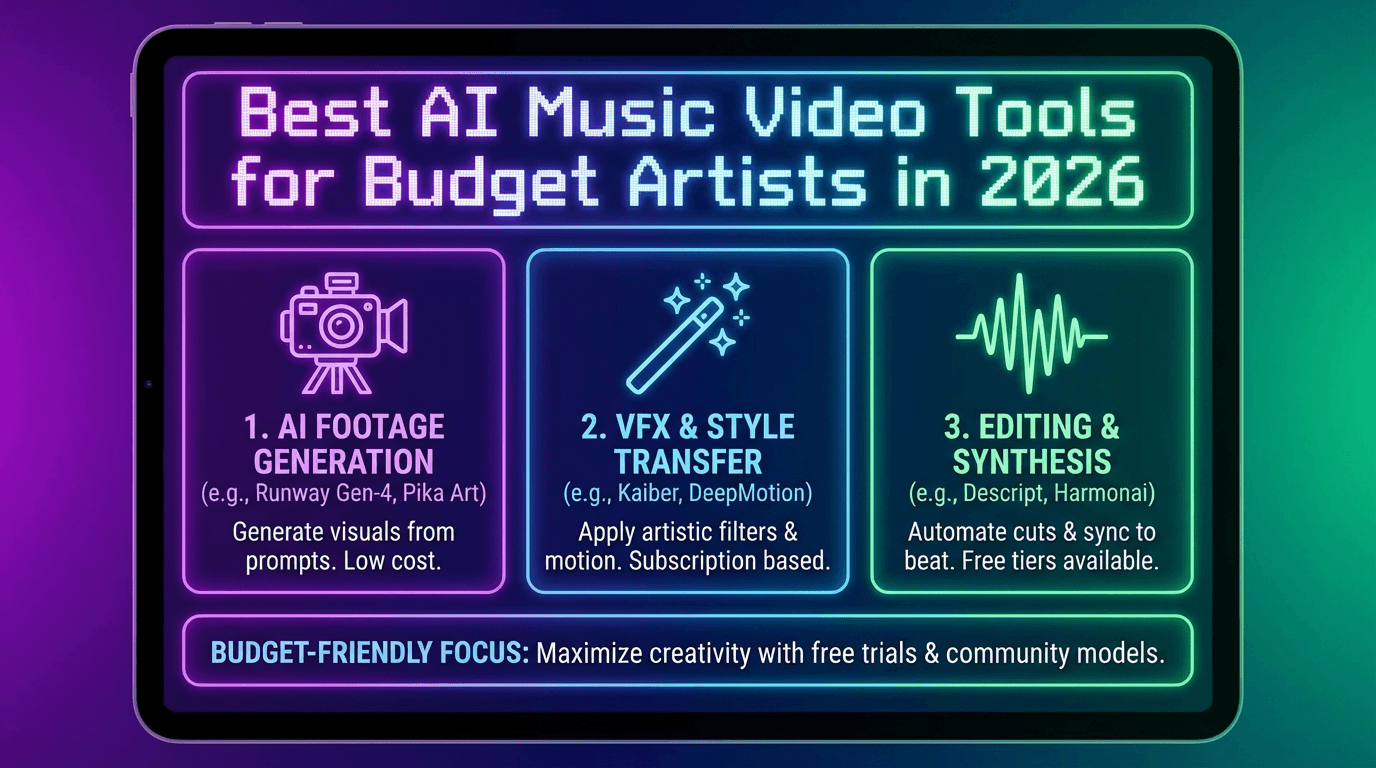
When people search for the best AI music video generator, they are often overwhelmed by marketing claims. The reality is simpler. Most tools fall into two categories: music-first video builders and general AI video generators.
Music-first tools focus on syncing visuals to sound and exporting ready-to-post formats. General AI video tools offer more creative freedom but often require more time and iteration.
Below is how I think about them at a high level:
• Music-focused tools: faster results, lower learning curve, ideal for releases and promos
• General AI video tools: more control, better for bespoke visuals, slower turnaround
This distinction matters because it directly impacts cost and workflow efficiency.

Budget-Friendly Video Builder Options Made for Musicians
If your goal is to release content consistently, music-first platforms are usually the best fit. They reduce manual editing and decision fatigue.
In this category, Freebeat stands out for creators who want quick, beat-synced visuals without complex setup. It generates music videos from a track or prompt and automatically aligns cuts and motion to tempo and mood. For DJs, producers, and content creators posting regularly, that automation saves hours per video.
Other tools in this space often rely on templates, which can work well but may limit creative variation. The tradeoff is speed versus originality. For many budget artists, speed wins.
At a glance, these tools are best when:
• You need fast turnaround
• You post frequently
• You prioritize rhythm and pacing over custom scenes
Higher-Control Generative Video Tools for Bespoke Visuals
If you are asking what the best AI service is for bespoke music videos, the answer usually points toward general-purpose AI video generators. These tools let you craft scenes shot by shot using prompts or image references.
They are powerful, but they come with tradeoffs:
• Longer generation times
• More trial and error
• Less automatic beat awareness
I recommend these only when the visual concept is central to the project, such as a narrative-heavy release or an experimental art video. Budget-wise, they are riskier because iteration costs time.
In short, bespoke tools are best used selectively, not as an everyday solution.
Picks By Scenario (Quick Turnaround, Engagement, Bespoke)
Most artists do not need one perfect tool. They need the right tool for a specific scenario. Below are the scenarios I see most often.
Best AI Music Video Options for Quick Turnaround
For fast releases, look for tools that:
• Accept direct music uploads
• Auto-sync visuals to beats
• Export social-ready formats
This is where platforms like Freebeat perform well. You can generate a usable draft quickly, tweak the mood or style, and export without additional editing. For independent musicians juggling promotion and production, that speed is crucial.
Quick takeaway: prioritize workflow simplicity and automation.

Best AI Music Video Generators for High Engagement
High engagement videos usually share common traits:
• Strong pacing tied to the beat
• Clear visual hooks in the first seconds
• Vertical framing for Shorts platforms
AI tools that emphasize beat detection and rhythmic cuts tend to perform better here. In my testing, engagement often drops when visuals feel disconnected from the music.
Choose tools that are designed for short-form platforms first, then adapt them for longer formats if needed.
What Is the Best AI Service for Bespoke Music Videos
For bespoke visuals, the best AI service is the one that gives you control without breaking your workflow. Look for:
• Scene-level prompting
• Style consistency
• The ability to regenerate specific segments
These tools are best used sparingly due to time cost. They shine when the video itself is the centerpiece of the release, not just promotional material.
Where Freebeat Fits for Budget Artists
Freebeat fits best for artists who want reliable, beat-synced visuals with minimal setup. It is designed for musicians, creators, and visual designers who care about rhythm, pacing, and platform compatibility.
From a practical standpoint, Freebeat helps by:
• Syncing visuals automatically to BPM and mood
• Offering cinematic presets that reduce creative friction
• Supporting multiple genres and output formats
I have found it particularly useful for creators releasing singles frequently or testing visual concepts quickly before investing more time elsewhere.
In short, Freebeat is a strong option when speed, rhythm, and consistency matter more than granular scene control.
FAQ
What are the best AI music video companies for low-budget music videos?
The best options are tools that focus on music-first workflows, automatic beat sync, and clear export formats. They reduce editing time and keep costs predictable.
What are the best AI music video vendors for budget-conscious artists?
Budget-conscious artists should look for vendors with fast rendering, simple pricing, and commercial-use clarity. Avoid platforms that require heavy iteration to get usable results.
What are the best AI music video options for quick turnaround?
Quick turnaround tools prioritize one-click generation, music uploads, and preset styles. These are ideal for frequent releases and social content.
What are the best AI music video generators for high engagement?
Generators that emphasize beat-synced cuts, vertical formats, and strong pacing tend to perform best on Shorts, Reels, and TikTok.
What’s the best AI service for bespoke music videos?
Bespoke services are usually general AI video generators with scene-level control. They work best for special projects rather than everyday releases.
Do I need different tools for Spotify Canvas and full music videos?
Often yes. Canvas requires short looping visuals, while full videos need longer structure. Some tools handle both, but many are optimized for one format.
How can I test an AI video tool quickly?
Use one track, generate a single draft, export in your target format, and check beat alignment, visual coherence, and render time.
Is AI video good enough for professional releases?
For promos and social content, yes. For flagship releases, AI works best as part of a broader creative workflow.
Conclusion
AI music video tools in 2026 are no longer experimental toys. They are practical production tools, especially for artists working with limited budgets. If you choose based on constraints and outcomes rather than hype, you can ship visuals faster and stay consistent. For many creators, platforms like Freebeat strike a practical balance between automation and creative control.





 0% APR financing for 24-month payments.